Expand anything, anywhere.
The cross-browser text expander built for speed and privacy. Local-first, E2E-encrypted sync across Chrome and Firefox.
Free · No account required
Why Velocity
Built for people who type for a living
Instant Expansion
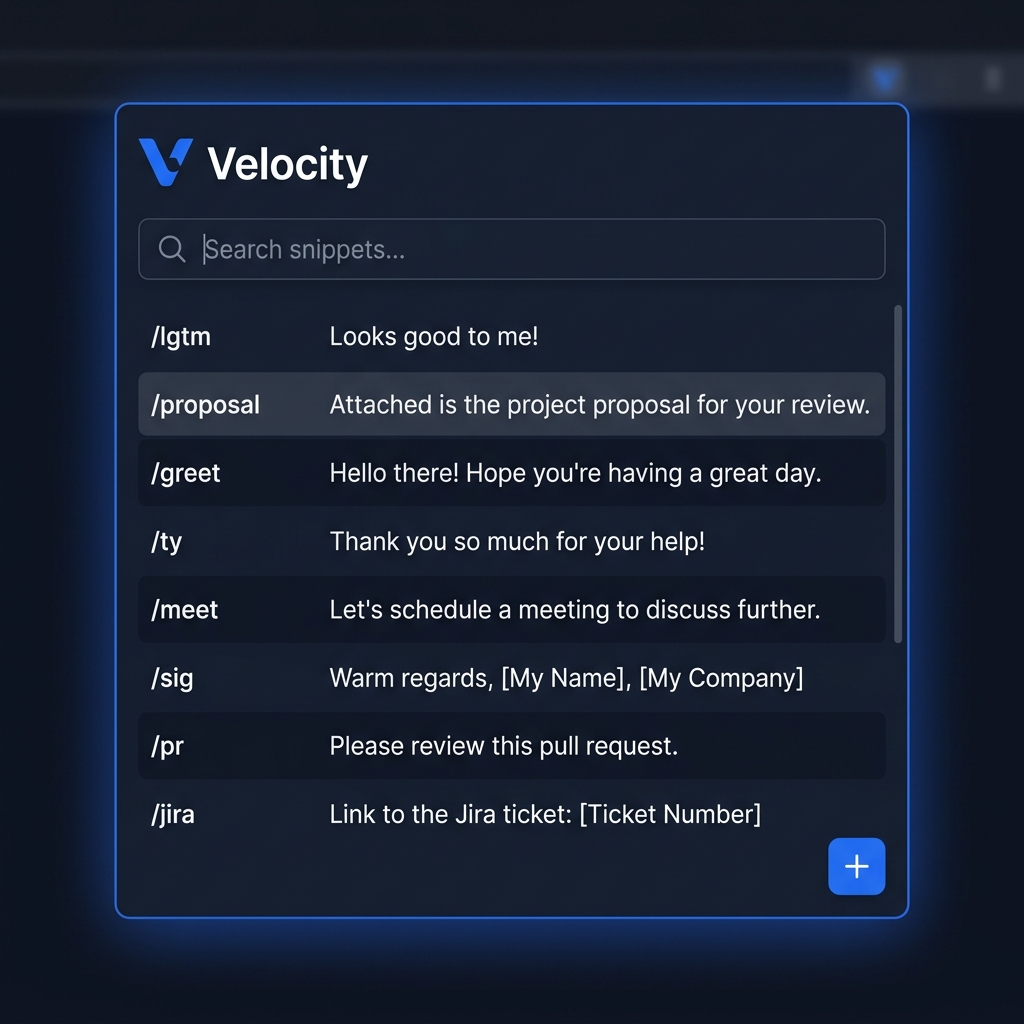
Type a short trigger and watch it expand into full text instantly — served from an in-memory cache with zero async delay.
E2E Encrypted Sync
Snippets are encrypted with AES-GCM before they ever leave your device. Sync Pro includes a 30-day money-back guarantee.
Cross-Browser
One account, same snippets in Chrome and Firefox. Bidirectional sync keeps every device in perfect agreement, even after offline edits.
Placeholders
Drop {{dynamic}} fields into any snippet. Tab-cycle through them with Ctrl+Right and Velocity cleans up any unused ones automatically.
Why Switch
How Velocity compares to traditional text expanders
Built from the ground up for speed, keyboard ergonomics, and uncompromised privacy.
| Capability | ⚡ VelocityPrivacy-First | Typical Cloud Expanders |
|---|---|---|
| Zero-Knowledge Encryption | ✓Client-side AES-GCM 256 (Server cannot read your data) | ✕Plaintext cloud storage (Accessible to company servers) |
| Offline Keystroke Latency | ✓0ms instant (Local-first in-memory IndexedDB) | ✕Network roundtrip lag / requires active connection |
| Local Snippet Limits | ✓100% Free & Unlimited | ✕Limited free tier (paywalled snippet counts) |
| Dynamic Variable Placeholders | ✓Interactive cycling with Ctrl+Right or Enter | ✕Static text or complex paid scripting |
| Cross-Browser Support | ✓Chrome, Brave, Edge & Firefox (Win / Mac / Linux) | ✕Chrome-only or Mac desktop-only |
| Data Ownership | ✓One-click JSON Import & Export (No lock-in) | ✕Proprietary formats / difficult export |
Starter Packs
Pre-built templates to supercharge your typing
Explore ready-to-use snippets for your role. Copy any template into Velocity and fill variables instantly with placeholders.
Hi {name},

Thanks for reaching out! I would be happy to help you with {issue}.

Could you please confirm your account email address so I can pull up your details?Here are the recommended steps to resolve {problem}:
1. {step1}
2. {step2}
3. Refresh the page and try again.
Please let me know if you run into any issues!Hi {name},
I have gone ahead and {action}. Everything should now be working as expected!
Please reply if you need anything else.How it works
Up and running in 60 seconds
Install the extension
Add Velocity to Chrome or Firefox in one click. No account required to start.
Create a snippet
Give it a short trigger like /sig and the full text you want inserted.
Type the trigger, anywhere
Type your trigger followed by Space or Enter in any text field. Velocity expands it instantly.
Ready to type less?
Join beta testers saving hours every week with Velocity. Offline usage is free forever. Sync Pro includes a 30-day money-back guarantee.